AI Text to Video Generator
Just type, generate, go viral. Genverse AI turns your ideas into captivating AI videos with Sora 2, Veo 3.1, and more AI models—effortless and fast.
Your video will appear here
Ready when you are—add a descriptive prompt to begin.
You can review your finished videos anytime on My Videos.
Text to Video Generator: Create AI Video with Genverse
Write a prompt, script, or scene idea and let Genverse AI turn text to video in minutes. This AI video generator builds cinematic video with consistent pacing and style, so your team can publish text to video content fast.
Prompt Example
A keyboard whose keys are made of different types of candy. Typing makes sweet, crunchy sounds. Audio: Crunchy, sugary typing sounds, delighted giggles.
What Is Text to Video in Genverse AI?
Text to video means turning written direction into finished video. In Genverse AI, the model reads your text, plans scene flow, and renders AI video with camera motion, lighting, and pacing that fit the idea.
Teams use text to video when they need fast, repeatable output for social and product launches. Instead of a long production chain, this generator helps you move from text to video draft to publish-ready video in one workflow.
Features of the Genverse Text to Video AI Generator
Discover the toolkit that keeps your text to video workflow fast, with repeatable AI video output from the Genverse AI generator.
Text to Video Prompt Control
Describe setting, characters, and tone, then let the Genverse AI video generator map your text to video shots with clear pacing.
AI Video Without Editing Tools
This text to video workflow helps non-editors create polished AI video content from plain text without a complex timeline.
1080p Generator Export
Export watermark-free video in 1080p MP4. The Genverse AI pipeline keeps each video ready for launch, ads, and product pages.
Video Formats for Every Channel
Generate text to video in 16:9, 9:16, or 1:1, so your AI video fits each platform while message and style stay consistent.
The Art of Motion: Creating Videos from Text
Futuristic Neon Pursuit Trailer
Prompt: Craft a sci-fi teaser set in a rain-soaked megacity. Begin with a neon skyline and holographic billboards, cut to a protagonist sprinting through vapor-lit alleyways, integrate drone shots weaving between skyscrapers, add AR HUD overlays tracking a rogue android, and finish with a hovercar leap over a synthwave skyline synced to a rising bass drop.
Great for studios and indie filmmakers prototyping cyberpunk concepts. The blend of neon atmospherics, dynamic chase shots, and HUD graphics echoes blockbuster sci-fi trailers that trend across social platforms.
Desk Cat Corporate Comedy
Prompt: A hyper-realistic, ultra-high-definition scene of an anthropomorphic chubby orange tabby cat nodding off at a corporate workstation while typing. The dual monitors show half-finished spreadsheets, a bamboo steamer of bao buns rests beside a branded mug, blurred coworkers hustle in the open office background, and warm afternoon light highlights plush fur and twitching whiskers as the cat fights sleep.
Tailored for meme-ready short-form reels. The sleepy tabby, detailed set dressing, and office relatability hit the viral sweet spot across TikTok, Instagram, and YouTube Shorts.
Arena Encore Concert Film
Prompt: Create an immersive concert sequence set inside a packed indoor arena. Start with a wide aerial glide over a sea of glowing wristbands pulsing to the beat, then dive toward a circular stage framed by towering LED walls cycling through neon geometric animations. Cut to handheld shots weaving through ecstatic fans—faces lit by strobes, confetti cannons primed above the crowd. Transition backstage where the lead singer sprints toward the runway, sweat catching the light, before bursting onto stage as pyrotechnic pillars ignite and the bass drops. Capture synchronized light beams scanning the audience, dancers kicking off a choreographed routine, and a slow-motion shot of the drummer’s sticks striking cymbals as sparks fly. Conclude with an overhead crane shot as the entire arena sings along, lasers painting the roof and CO₂ jets blasting to punctuate the final chorus.
Designed for music marketers and tour promoters previewing live productions. The kinetic camera moves, crowd energy, and lighting beats mirror high-retention concert reels across socials.
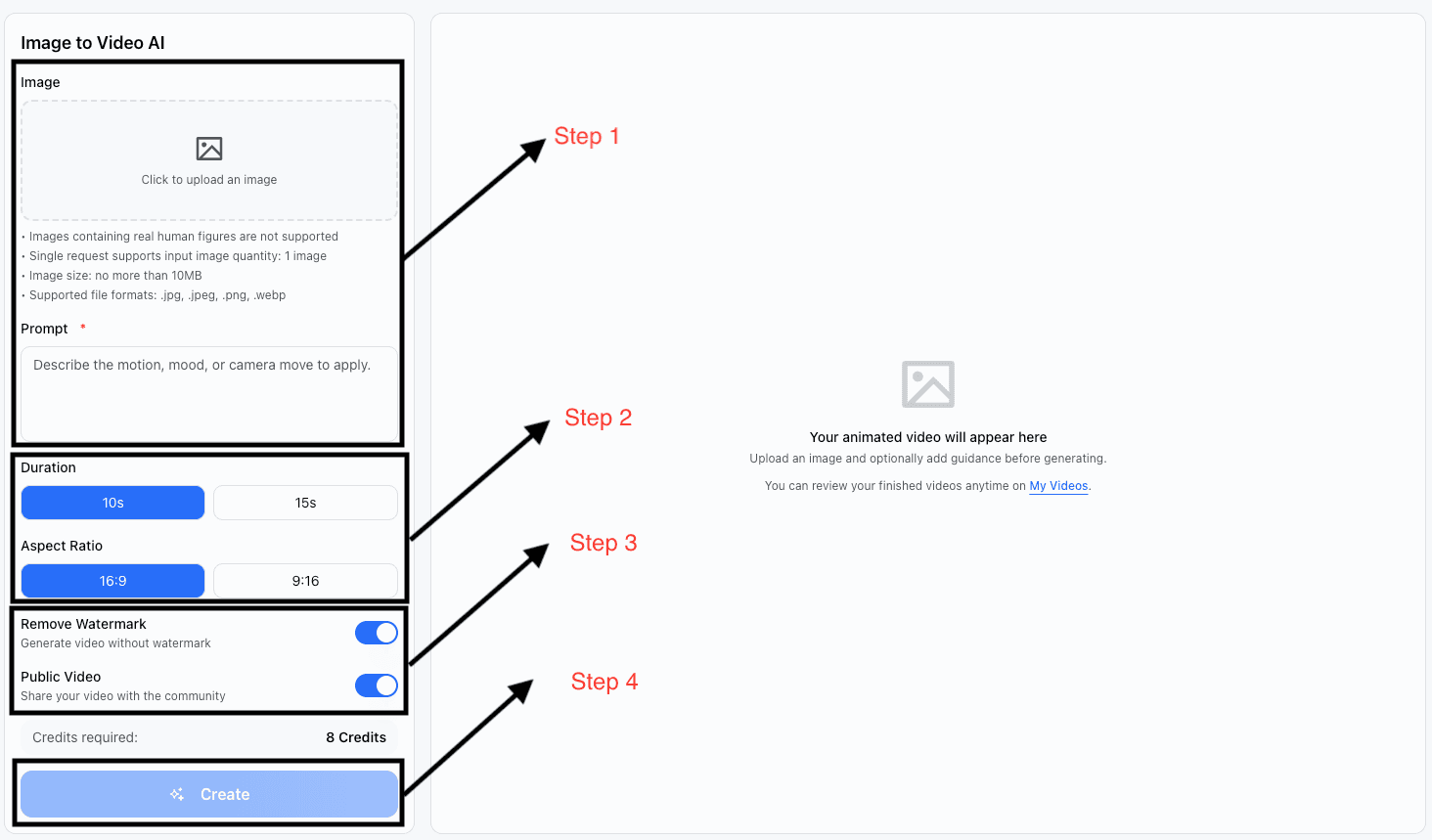
How to Use the Genverse Text to Video Tool
Follow these steps to move from text to video prompt to polished AI video output in the Genverse AI generator.
Write Your Prompt
Describe the setting, characters, and mood you want to see. The more descriptive your script, the more accurate the animation becomes.
Set Duration & Format
Pick a 10s or 15s clip and choose the aspect ratio that fits your channel—16:9 for widescreen, 9:16 for vertical, or 1:1 for square feeds.
Adjust Visibility & Watermark
Remove the watermark for polished output and decide whether to share your creation publicly with the Genverse community.
Generate & Download
Click generate, review the preview, iterate if needed, and export a 1080p MP4 ready for social, web, or client delivery.
Who Thrives with Genverse Text to Video?
Teams across marketing, education, and commerce use Genverse AI to turn text to video ideas into high-performing AI video in minutes.
Marketing Teams
Launch campaign copy as text to video ads and AI video variants, so every video test ships faster with the Genverse AI generator.
Educators
Turn lesson text into text to video explainers and short AI video lessons that keep each video clear for remote and in-person classes.
Content Creators
Repurpose scripts and newsletter text into AI video reels. One text to video workflow keeps every video ready for social channels.
Corporate Communicators
Build internal video updates from text with the Genverse AI video generator for onboarding, policy rollouts, and leadership messages.
Social Media Managers
Scale your calendar with text to video drafts, then publish AI video cuts in the right video format for each platform.
E-commerce Sellers
Convert product text into demo video and review video assets. This text to video generator helps Genverse AI teams lift conversion.
Benefits of Using a Text to Video Generator
Unlock faster video production and stronger engagement by using a text to video generator with stable Genverse AI video output.
Save Time and Effort
Ship text to video output in minutes. The Genverse AI video generator removes editing overhead and keeps each video production cycle short.
Increase Engagement
Replace static posts with AI video and text to video storytelling that increases watch time and helps every video perform better.
Cost-Effective Production
Skip costly shoots and build studio-style video with a repeatable text to video generator flow, managed inside Genverse AI.
Versatile Applications
Use one AI video generator for launch video, onboarding video, and campaign video by adapting text prompts to each use case.
Who Can Benefit from Our Text to Video Tool
From boutique creators to enterprise teams, Genverse AI keeps text to video production simple so each video scales faster.
Marketers
Turn campaign text to video quickly, then test each AI video version to find the video message that converts best.
Educators
Convert lesson text into text to video modules so each AI video keeps class content focused, clear, and easier to review.
Content Creators
Use one generator to move from text to video drafts to publish-ready AI video clips across YouTube, TikTok, and Reels.
Businesses
Produce training video and update video from internal text with a repeatable Genverse AI workflow and stable video quality.
Social Media Managers
Scale content by turning text to video ideas into daily AI video assets in the exact video ratio each platform prefers.
E-commerce Sellers
Turn product text and reviews into demo video and ad video assets with a text to video generator built for conversion.
Frequently Asked Questions
Find fast answers before you turn your next idea into a Genverse text-to-video production.
Can AI turn my script into a finished video?
Yes. Add your text, choose ratio and duration, and the Genverse AI video generator returns text to video output with polished scene flow.
How do I convert written ideas into video clips?
Start with clear text, describe scene movement, and generate. This text to video workflow maps your brief to AI video with minimal setup.
Which text to video generator is best for marketing teams?
Genverse AI is built for campaigns, with fast AI video rendering, clean export controls, and repeatable text to video production.
When should I use text to video instead of traditional editing?
Use text to video when speed matters and you need multiple video variations. The generator creates AI video drafts without a long edit cycle.
What makes the Genverse AI video engine different?
Genverse AI combines prompt control, stable pacing, and production-ready outputs, so each text to video result feels consistent across video channels.
Can AI video support onboarding or training content?
Yes. Teams use this text to video generator to turn policy text, walkthrough text, and curriculum text into structured AI video modules.
Other Popular Tools on Genverse
Explore additional AI workflows that expand what you can create in minutes.
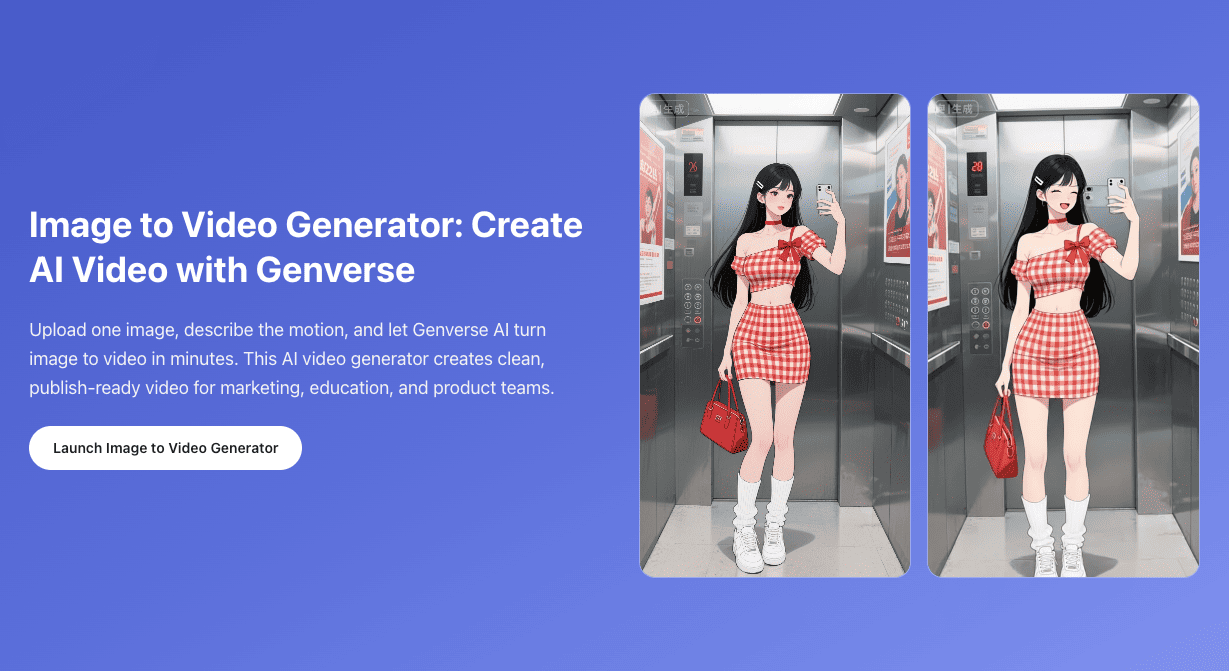
Image to Video
Transform product photos or concept art into motion with cinematic camera work driven by Genverse prompts.
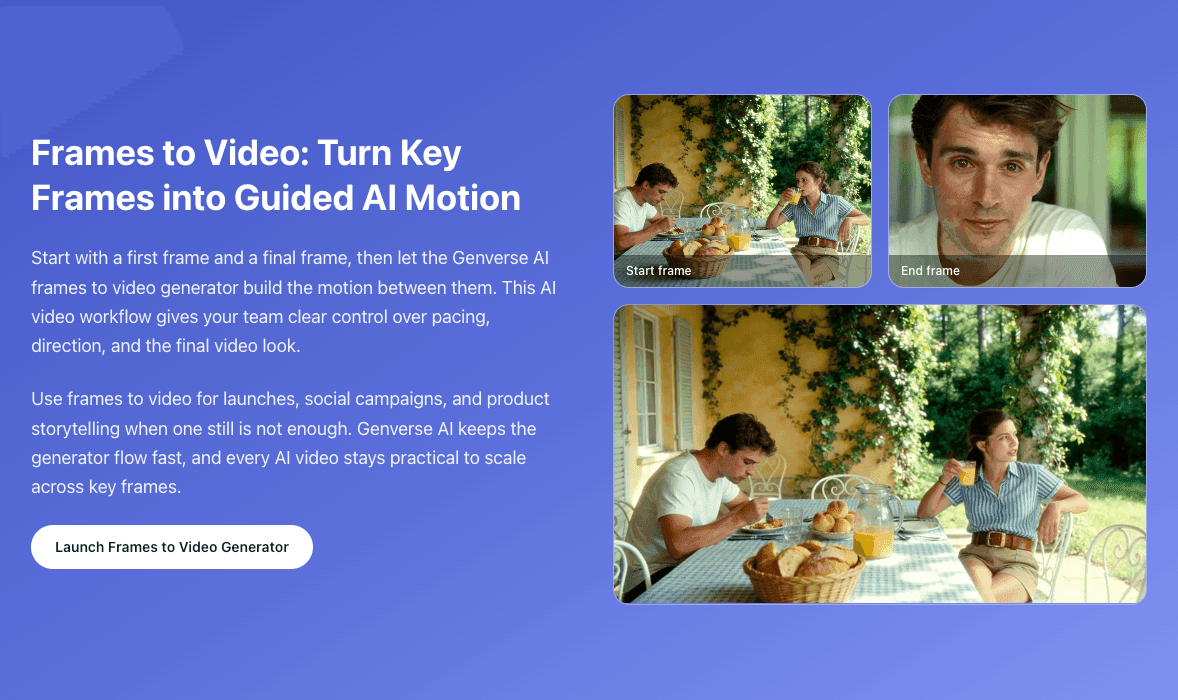
Frames to Video
Upload a start frame and end frame to generate smooth guided motion between key moments.
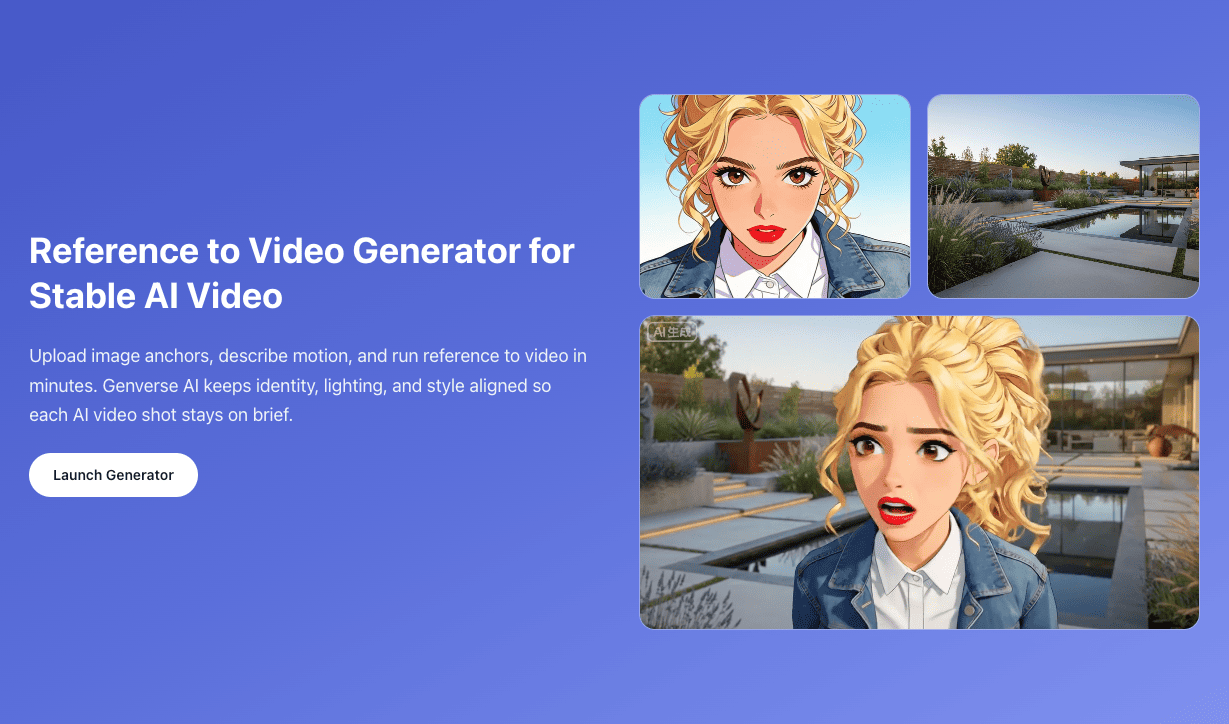
Reference to Video
Use multiple reference images to keep character, style, and scene identity consistent across shots.