Kling AI Motion Control Generator
Upload one Character Reference Image and one Reference Video to create a Kling AI Motion Control video with stronger Character consistency, cleaner motion transfer, and production-ready control.
Your motion control video will appear here
Upload a reference image and driving video, then generate a controllable motion result.
You can review your finished videos anytime on My Videos.
Kling AI Motion Control: Precise Character Animation from Reference Video
Genverse AI's Kling AI Motion Control workflow lets you turn one Character Reference Image and one Reference Video into directed Character animation with clean motion extraction and consistent Character identity throughout the clip. Instead of guessing motion, you provide a real Reference Video to transfer precise gestures, postures, and performance beats.
Our integrated workflow supports both Kling 3 Motion Control and Kling 2.6 Motion Control, giving you a practical way to generate directed AI video for avatars, short-form content, and high-fidelity Character storytelling.
What Is Kling AI Motion Control in Genverse AI?
Kling AI Motion Control is a more directed AI video workflow for Character animation. You start with a Character Reference Image that anchors identity, framing, and visual cues, then pair it with a Reference Video that carries motion timing, body rhythm, gestures, and pose changes. The result is a new motion control video that keeps the Character closer to your intended look while transferring movement from a real Reference Video.
In Genverse AI, the Kling AI Motion Control workflow is built around the controls production teams actually use: model selection, Quality Mode, and Kling 3 background source control when scene ownership matters. That makes Kling AI Motion Control more practical for repeatable Character animation, Reference-Video-led testing, and scalable content production, not just one-off demos.
Key Capabilities of Kling AI Motion Control on Genverse AI
Stable Character Identity and Facial Clarity in Motion
Kling AI Motion Control helps Character facial identity stay more stable when the shot changes angle, the Character turns, the framing becomes more dynamic, or the face is briefly obscured by hair, hands, props, or camera motion. It is more reliable for Character animation that needs to stay recognizable and closer to the Character Reference Image across more cinematic movement.
More Natural Emotional Performance Transfer
Kling AI Motion Control can preserve more of the emotional timing inside a Reference Video, including smiles, surprise, tension, and other subtler performance changes. This helps Character animation feel more expressive when the motion source depends on facial acting, not just broad body movement.
Coordinated Full-Body, Multi-Part, and Hand Motion
Kling AI Motion Control is especially useful when motion transfer needs to keep posture, rhythm, coordination, and gesture detail readable across the whole Character body. It handles larger actions, more intricate multi-part movement, and gesture-led performance better than a looser, prompt-only motion workflow.
How to Use Kling AI Motion Control Generator
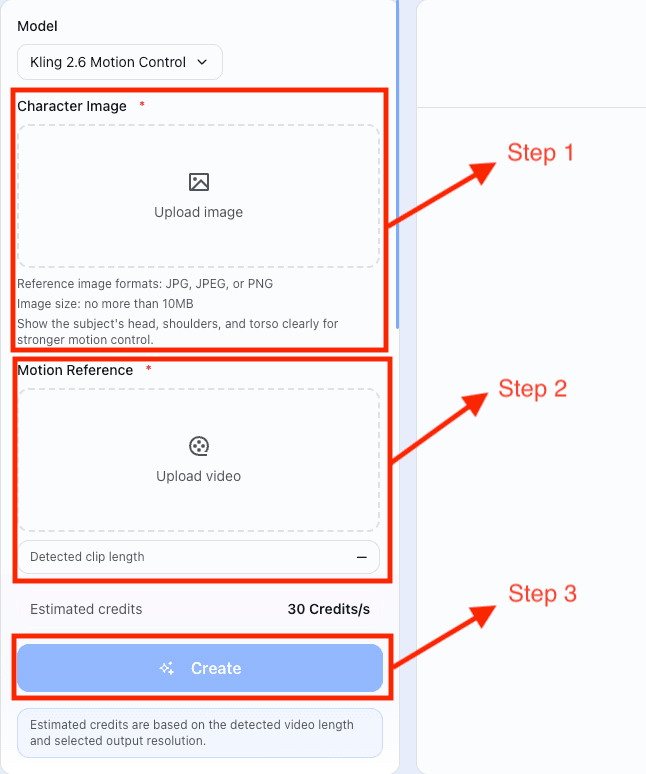
Upload a Character Reference image
Choose a clear Character Reference Image (JPG/JPEG/PNG). For the best identity retention, ensure the face is visible, lighting is stable, and the character's body is fully shown to match your desired motion.
Pick Your Motion Reference Video
Select a clean Reference Video with easy-to-track movement. For optimal AI Motion Control results, use a video with a single clear subject and avoid distracting cuts or sudden camera jumps.
Select Kling 3.0 or 2.6 Motion Control
Choose your engine: Kling 3.0 or Kling 2.6. Fine-tune with Quality Mode and background controls for precise, professional motion control video.
Generate, Compare, and Download
Generate your AI motion control video with a single click. Kling AI produces smooth, realistic MP4s with stable movement. Review the motion transfer, then download your production-ready video, perfect for TikTok, Instagram, and YouTube.
Kling AI Motion Control: Optimization Guide
Focus on a Single Subject
AI Motion Control performs best when the Reference Video has a clear focal point. Ensure your video features only one distinct Character with obvious movement. A single subject provides a cleaner motion path for the AI, preventing identity drift caused by background interference.
Allow Body Space (Framing)
Framing determines the accuracy of limb movement. If your project involves dancing or large gestures, use a medium or wide shot for your Reference Video. Sufficient spatial overhead allows AI Motion Control to fully map the Character skeleton, helping prevent limb distortion.
Prioritize Soft, Even Lighting
Lighting quality directly impacts visual stability. Use a Character Reference Image with soft, balanced lighting. High-contrast shadows or harsh glare can cause AI Motion Control to produce facial flickering or identity breaks during dynamic motion sequences.
Pre-set Character Emotion
Give your AI Character more emotional direction through the Character Reference Image. Using a photo with a subtle micro-expression, such as a soft smile, is far more effective than a poker face. This helps AI Motion Control create more natural and nuanced emotional transitions in the final video.
Align Perspective & Angles
Make sure the Character Reference Image angle logically matches the motion path in the Reference Video. For example, avoid pairing a low-angle photo with a high-angle video. Consistent perspective is one of the keys to maintaining identity stability in AI Motion Control.
Use Seamless, Continuous Motion
High-quality output starts with high-quality source footage. Choose a Reference Video with steady pacing and no abrupt cuts. A continuous, easy-to-track motion flow helps AI Motion Control generate a smoother, more cinematic result from start to finish.
Kling 3.0 vs. 2.6: Choosing the Right Motion Control Engine
Kling 3.0: The Quality King (Realism & Identity)
Best for: Cinematic close-ups, multi-angle shots, and projects requiring perfect identity retention.
Kling 2.6: The Efficiency Pro (Speed & Stability)
Best for: Social media (TikTok/Reels), rapid prototyping, and high-volume content creation.
Kling AI Motion Control: Real-World Use Cases
Pro Character Animation: Bring Any Vision to Life
Elevate your creative workflow with AI motion control. Transform static illustrations, mascots, or 3D avatars into expressive performers by mapping them to real human movements. Kling AI ensures elite identity retention, making lifelike character animation more accessible than ever.
Viral Social Content: Scale Your Influence
Stay ahead of trends by applying viral dances and gestures to your AI characters in seconds. Using AI motion control, creators and brands can rapidly produce high-quality, engaging content for TikTok, Instagram, and YouTube Shorts, maintaining peak consistency even in fast-paced sequences.
Digital Marketing: Your Brand, Your Moves
Turn your brand's visual assets into dynamic sales tools. AI motion control allows virtual spokespersons or brand mascots to present products with natural gestures. Powered by Kling AI, businesses can create high-converting promotional videos without the overhead of traditional shoots.
Film Previsualization: Prototype with Precision
Streamline your production pipeline with AI motion control for rapid previs. Filmmakers can test choreography, blocking, and camera angles before committing to expensive animation or live-action filming. Kling AI delivers the stability needed to keep character direction clear and consistent throughout development.
Frequently Asked Questions About Kling AI Motion Control
These are the practical questions teams usually ask before they move Kling AI Motion Control into daily production.
What is Kling AI Motion Control in Genverse AI?
Kling AI Motion Control means you upload one Character Reference Image and one Reference Video, then generate a new AI video that keeps Character identity from the still image while following movement from the Reference Video. It is a more directed workflow than asking a model to invent motion from a prompt alone.
Why use motion control instead of a normal image to video workflow?
A normal image to video workflow can be fast, but it usually gives the model more freedom. Kling AI Motion Control adds a real Reference Video, so the final Character animation often has stronger pose direction, more predictable movement, and easier review.
What is the difference between Kling 3 Motion Control and Kling 2.6 Motion Control?
Kling 3.0 is the stronger choice when you need maximum realism, better facial consistency, and stronger identity retention through close-ups, angle changes, zooms, and brief occlusion. Kling 2.6 is the better choice when speed, lower cost, and stable full-body motion matter more, especially for social content, rapid prototyping, hand gestures, and longer takes up to 30 seconds.
What kind of Character Reference Image works best?
The best Character Reference Image is clear, stable, and easy to read. Images with a visible face, shoulders, and upper body usually work well, especially when the camera angle does not conflict with the motion you want to transfer from the Reference Video.
What kind of Reference Video works best?
A good Reference Video usually has one clear Character, readable movement, and no abrupt edits. Kling AI Motion Control works better when the motion source is easy to follow and gives the model a clean motion path.
Does Kling AI Motion Control follow the Reference Video by default?
Yes. In the Genverse Kling AI Motion Control workflow, KIE requests use the default video-following mode, so the workflow stays focused on the Reference Video you upload. If you want stronger results, the biggest levers are still the clarity of the Character Reference Image, the readability of the Reference Video, and whether Kling 3 background source control fits the shot.
What does background source control do on Kling 3 Motion Control?
Background source control lets the output favor either the Character Reference Image background or the Reference Video background. It gives you another layer of control when the motion looks right but the scene behavior still needs adjustment.
Explore More Genverse AI Video Tools
Kling AI Motion Control becomes even more useful when you combine Character animation with other Genverse AI video tools for planning, variation, and final delivery.
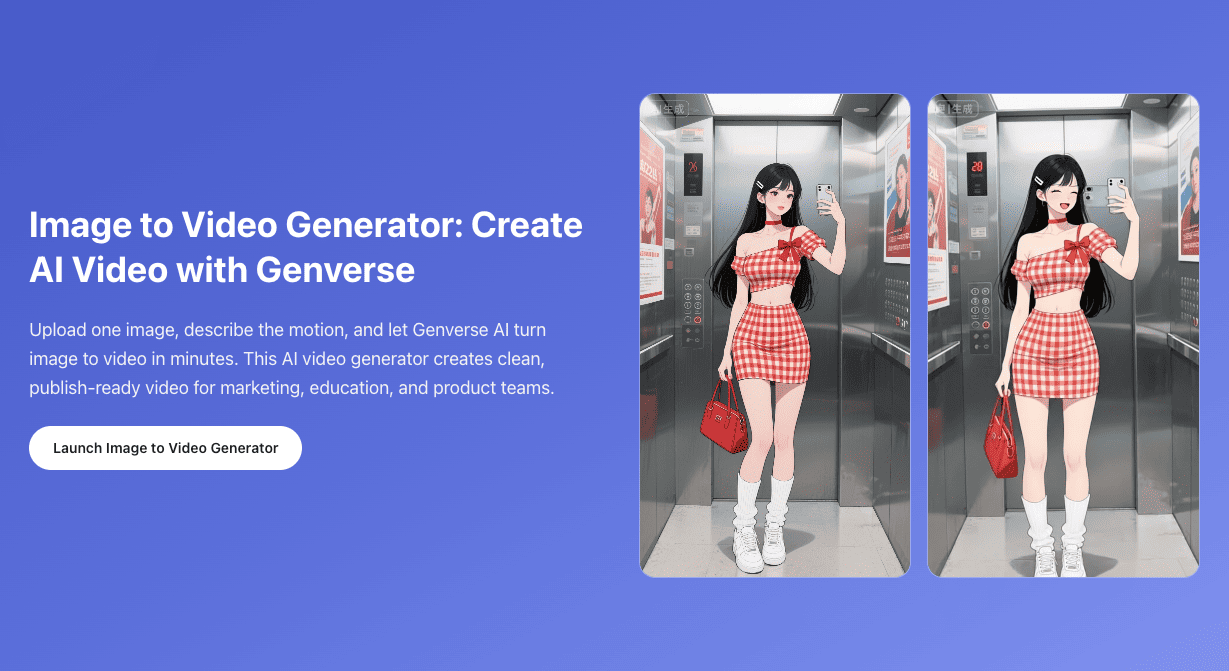
Image to Video
Use image to video when you want lighter Character animation from one still image without a separate Reference Video.
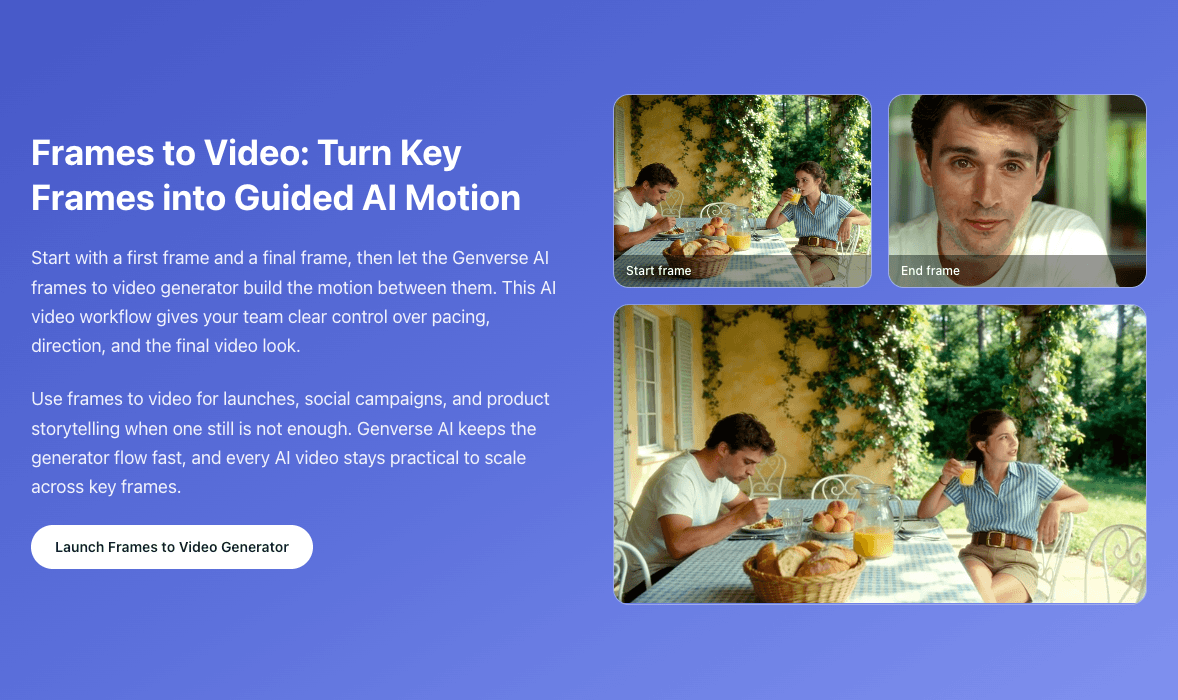
Frames to Video
Use frames to video when you want stronger control over how a Character shot starts and how it ends.
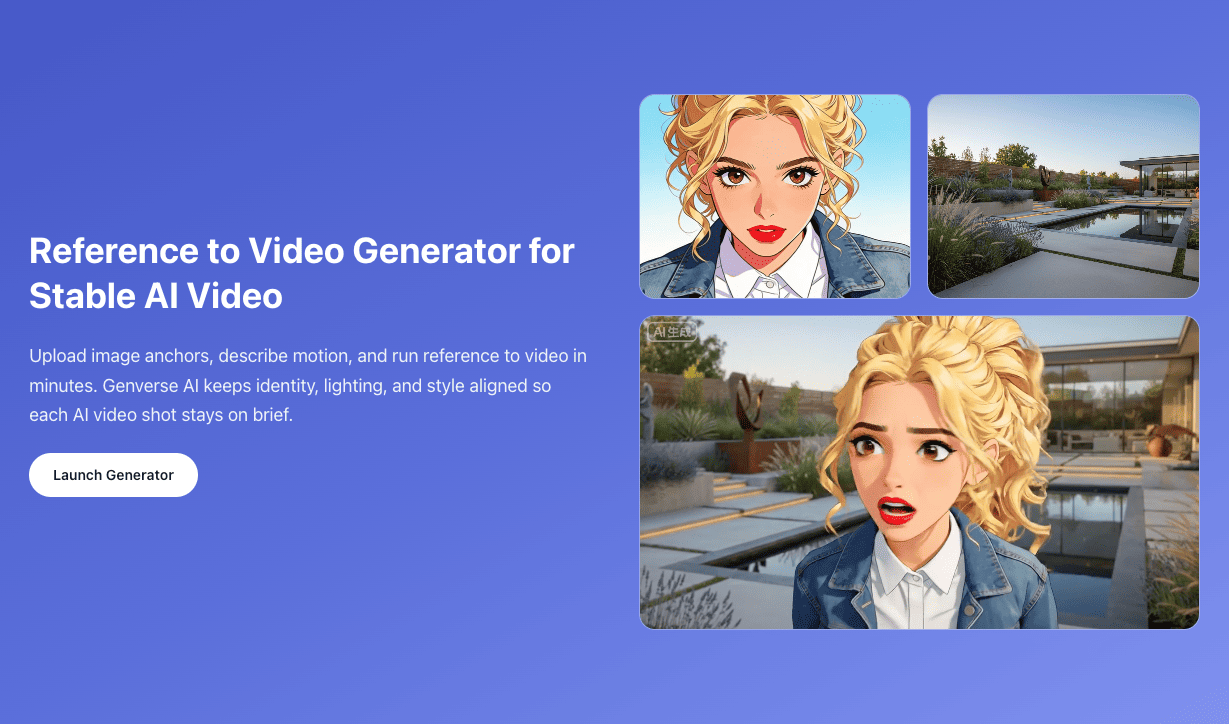
Reference to Video
Use reference to video when you want broader Character, style, and scene control from multiple image references across a single clip.