Seedance 2.0 AI VideoGenerator
Flexible AI video generation for text-to-video, image-to-video, frames-to-video, and reference-to-video workflows.
Your video will appear here
Ready when you are—add a descriptive prompt to begin.
You can review your finished videos anytime on My Videos.
Seedance 2.0: Multimodal Cinematic AI Video
Moving beyond text, Seedance 2.0 delivers cinematic motion and continuity through multimodal guidance. It provides a controlled, efficient workflow for marketing and professional production, ensuring every frame aligns with your directorial intent.
On Genverse AI, you can use Seedance 2.0 for text to video, image to video, frames to video between two anchor images, or reference to video with optional reference images, reference videos, and reference audio.
What Is Seedance 2.0 in Genverse AI?
Seedance 2.0 is a multimodal AI model built for cinematic storytelling, offering precise control via storyboards and reference clips; by delivering exceptional human realism and visual consistency, it maintains flawless physics and cinematic quality even in high-impact scenes, and this industrial-grade controllability enables Seedance 2.0 to empower marketing, app integration, and professional production while transforming creative concepts into reliable, high-quality commercial assets on Genverse AI.
Key Capabilities of Seedance 2.0 on Genverse AI
Four practical strengths for teams that care about action quality, camera language, control precision, and production speed.
High-Impact Motion & Physics
Seedance 2.0 excels in high-energy action such as fighting, sports, and dance. It simulates realistic physics so characters keep convincing weight and momentum during fast movement without collapsing into blur.
Cinematic Camera & Transition Learning
Seedance 2.0 has strong spatial awareness for complex camera paths like orbit and tracking moves. It can also learn rhythm and transition style from reference clips, including whip pans and match cuts, so shots feel intentionally directed.
Precision Multimodal Control
Seedance 2.0 supports diverse guidance inputs including reference video, storyboard sketches, and audio tracks. It can expand storyboard intent into full motion and align action energy or cut timing to music beats for tighter audio-visual sync.
Efficient Professional Workflow
With fast rendering and high controllability, Seedance 2.0 turns AI video creation from random trial into structured professional iteration. Teams can test more setups in less time and shorten the path from concept to production-ready output.
What’s New in Seedance 2.0 for AI Video Creation
Seedance 2.0 is designed to make high-quality AI output feel more controllable, more cinematic, and more useful for real Seedance production work.
A More Multimodal AI Video Workflow
Seedance 2.0 brings text, image, video, and audio guidance into one broader AI system. That matters because different ideas need different levels of control, and Seedance 2.0 lets you choose the right input depth for each shot.
Better Continuity Across Multi-Beat Video Moments
Even in short clips, a scene often needs more than one action beat. Seedance 2.0 is built to handle AI sequences with clearer internal progression, which helps a shot feel more like a real cinematic moment and less like a single isolated animation.
Stronger Performance in Dynamic Scenes
Seedance 2.0 is especially relevant when an AI scene includes rapid body movement, shifting camera logic, or stronger visual intensity. That makes the model attractive for creators who want more energy without giving up clarity.
Output Controls That Match Real Publishing Needs
A useful AI model also needs practical delivery settings. Seedance 2.0 supports multiple aspect ratios, 4 to 15 second duration, 480p or 720p quality, and optional audio generation, so the final output can match social, branded, or cinematic destinations more easily.
A Better Bridge Between Exploration and Direction
Some AI ideas start open, while others begin with strict visual targets. Seedance 2.0 works well in both situations because you can start with text to video and move toward reference-guided creation only when extra structure is actually needed.
More Useful for Everyday Video Production
The Seedance model is not only about impressive demos. It is also practical for repeat AI work, faster comparison rounds, and everyday generation where creators need speed, control, and consistent output from the same page.
How to Use Seedance 2.0 on Genverse AI
A simple four-step flow makes Seedance 2.0 easy to use, whether you are testing a fast AI idea or building a more controlled result.
Choose the Seedance 2.0 Workflow That Matches the Shot
Use text to video for open exploration, image to video when the first frame matters, frames to video when the opening and ending both matter, or reference to video when the shot needs more guided motion, timing, or visual stability.
Add Prompt, Images, Video, or Audio Only When They Help
Describe the subject, action, camera direction, and mood clearly. Then give Seedance 2.0 only the inputs that improve the shot, whether that is a first frame, two key images, a reference video, or optional reference audio for timing and energy.
Set Duration, Aspect Ratio, Quality, and Audio
Tune the output for where it will be used. Seedance 2.0 lets you choose the clip length, publishing ratio, quality mode, and audio behavior, which helps the result fit vertical social posts, square promos, or wider cinematic layouts.
Generate, Compare, and Download the Best Video
Run more than one version when needed, compare the motion, pacing, and framing, then download the Seedance 2.0 result that feels the strongest. This compare-and-refine loop is one of the easiest ways to get better AI output.
Pick the workflow that matches the shot you want to build.
Add prompt, frame, or reference guidance.
Set duration, aspect ratio, and quality mode.
Generate, compare, and download the strongest result.
What You Can Create with Seedance 2.0
Seedance 2.0 is flexible enough for everyday AI needs and polished enough for more cinematic work.
Short-Form Social and Creator Video
Seedance 2.0 works well for Shorts, Reels, TikTok-style edits, creator updates, and trend-driven AI content where speed, motion, and readability all matter.
Brand Campaigns and Product Storytelling
When marketing teams need sharper motion and stronger shot design, Seedance 2.0 can help turn simple concepts into more cinematic launch films, promos, and product-led AI content.
Music-Led Clips and Performance Video
Because Seedance 2.0 can work with optional reference audio and reference video, it is useful for rhythm-aware AI clips, mood-driven edits, performance concepts, and short music-film experiments.
Previsualization, Pitch Work, and Creative Tests
The Seedance workflow is also useful before full production. Teams can build AI drafts, test blocking, compare camera ideas, and explore scene energy before they commit more time or budget to a larger production process.
Why Use Seedance 2.0 on Genverse AI?
Genverse AI makes Seedance 2.0 easier to use for normal creators, marketers, and teams that want a practical Seedance workflow rather than a technical setup.
One Clean Page for the Full Seedance 2.0 Workflow
You can run Seedance 2.0 text to video, image to video, frames to video, and reference to video from one place. That keeps the Seedance workflow simpler, faster to learn, and easier to repeat across different projects.
Built for Real Creators and Teams
Genverse AI presents Seedance as a creation tool for actual production work. You focus on prompt, references, timing, and output, while the platform handles the rest of the flow in a user-facing way.
Clear Controls for Real Video Decisions
Instead of hiding the important settings, Genverse AI keeps the practical Seedance 2.0 controls visible: duration, ratio, quality mode, audio options, and reference upload flows that make direction easier to manage.
A Broader AI Video Stack in the Same Workspace
Seedance 2.0 does not have to work alone. You can pair this workflow with other Genverse AI tools when a project needs a wider AI stack for ideation, references, transitions, or later-stage refinement.
Frequently Asked Questions About Seedance 2.0
What is Seedance 2.0?
Seedance 2.0 is a multimodal AI video model for short cinematic creation. On Genverse AI, Seedance 2.0 supports text to video, image to video from a first frame, frames to video from two images, and reference to video with optional reference images, reference videos, and reference audio.
What makes Seedance 2.0 different from a typical AI video generator?
The biggest difference is control. A typical AI generator may rely almost entirely on prompts, while Seedance 2.0 can use text, image, video, and audio signals to shape the final result more directly. That makes Seedance 2.0 stronger for motion-sensitive, camera-aware, and reference-guided AI work.
How many references can I upload in a Seedance 2.0 project?
In Seedance 2.0 reference to video mode on Genverse AI, you can upload up to 9 reference images, up to 3 reference videos, and up to 3 reference audio files. Each reference video and reference audio clip must be between 2 and 15 seconds, and combined reference video length is capped at 15 seconds.
Does Seedance 2.0 support audio-guided video creation?
Yes. Seedance 2.0 supports optional generated audio, and the reference to video workflow can also use optional reference audio. That helps an AI scene follow stronger rhythm, pacing, and timing cues when the shot is performance-led or music-led.
What video length and quality options are available in Seedance 2.0 on Genverse AI?
Seedance 2.0 supports AI output from 4 to 15 seconds, with 480p and 720p quality modes plus multiple aspect ratios. Those settings make the result easier to adapt for vertical social content, square placements, and wider cinematic layouts.
When should I use each Seedance 2.0 workflow?
Use text to video when you are still exploring, image to video when the first frame matters, frames to video when the opening and ending need to be anchored, and reference to video when the scene needs more control over motion, visual identity, rhythm, or feel.
Where can I use Seedance 2.0 online?
You can use Seedance 2.0 directly on Genverse AI. The page is designed for creators who want an accessible AI workflow with practical controls, guided reference inputs, and a cleaner way to move from idea to a finished result.
Explore More Genverse AI Video Tools
Use Seedance 2.0 together with other Genverse AI workflows when you want a broader creation stack.
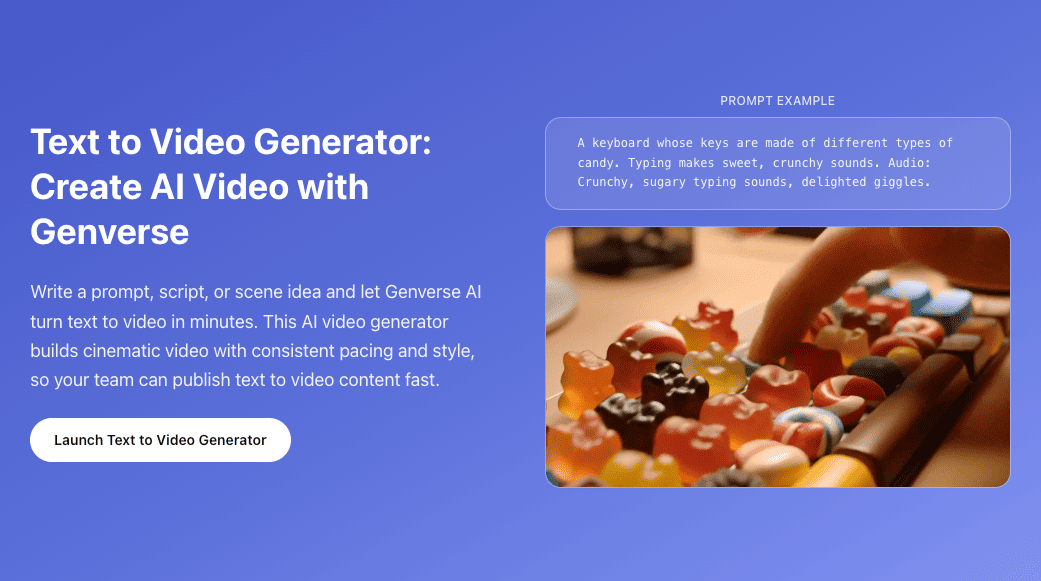
Text to Video
Start from prompt-only video generation when you want faster exploration.
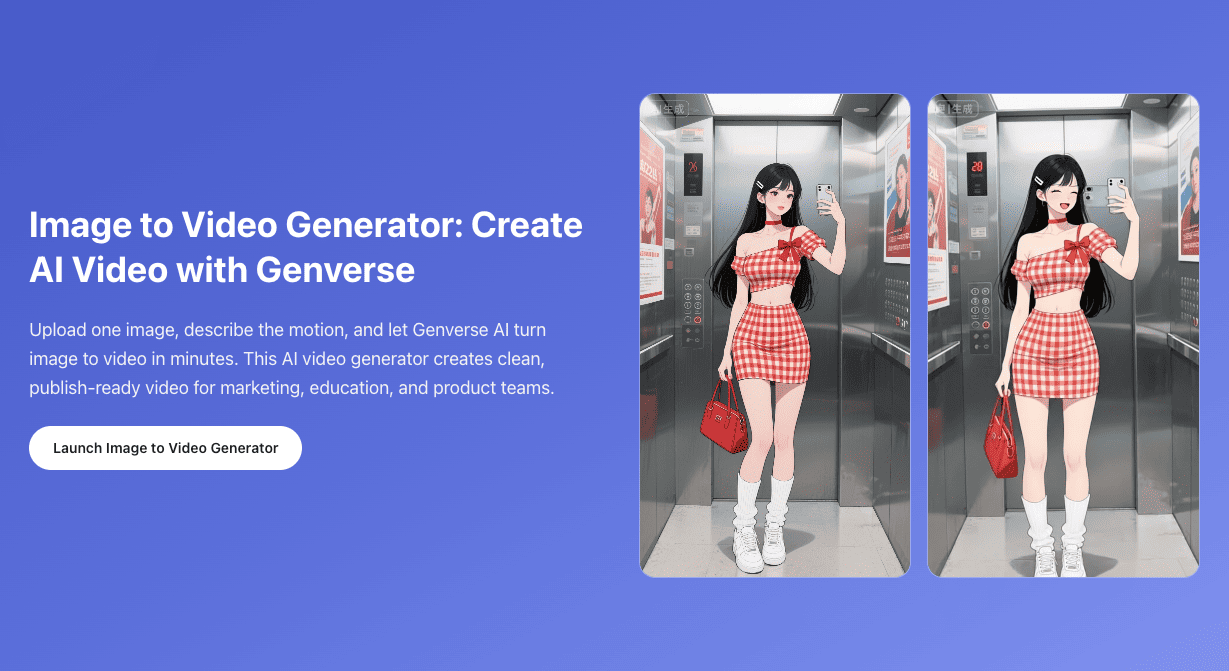
Image to Video
Animate a single still image when one strong opening frame is enough.
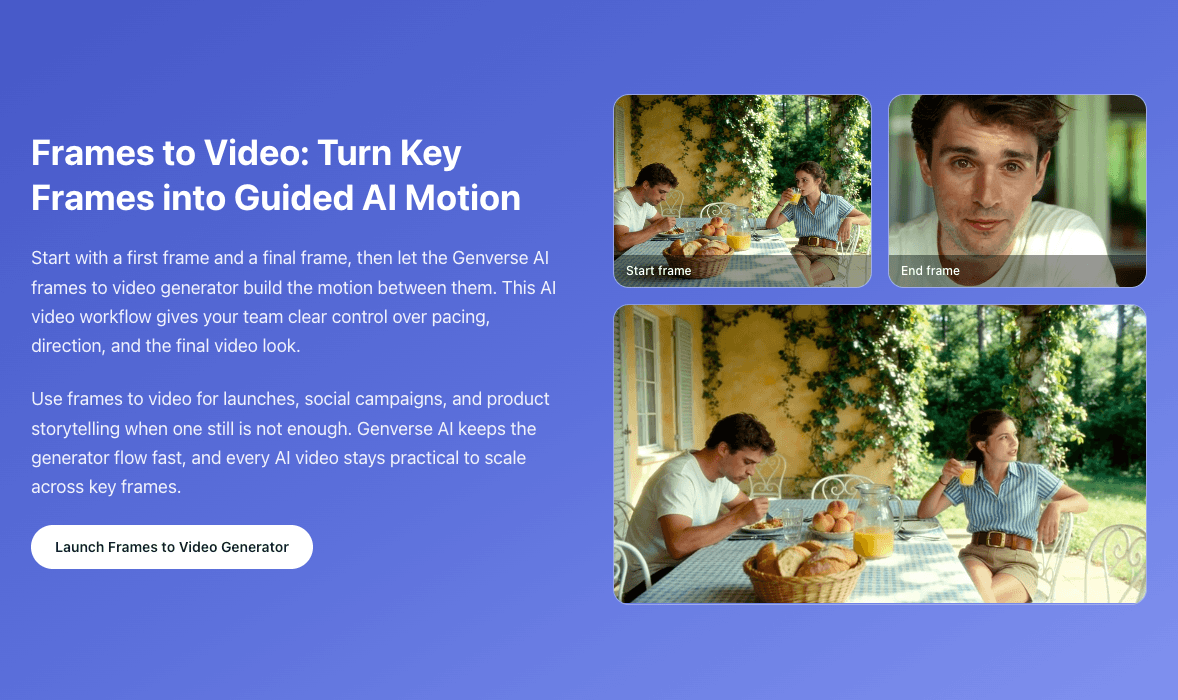
Frames to Video
Use explicit first and last frames when timing and transitions matter more.
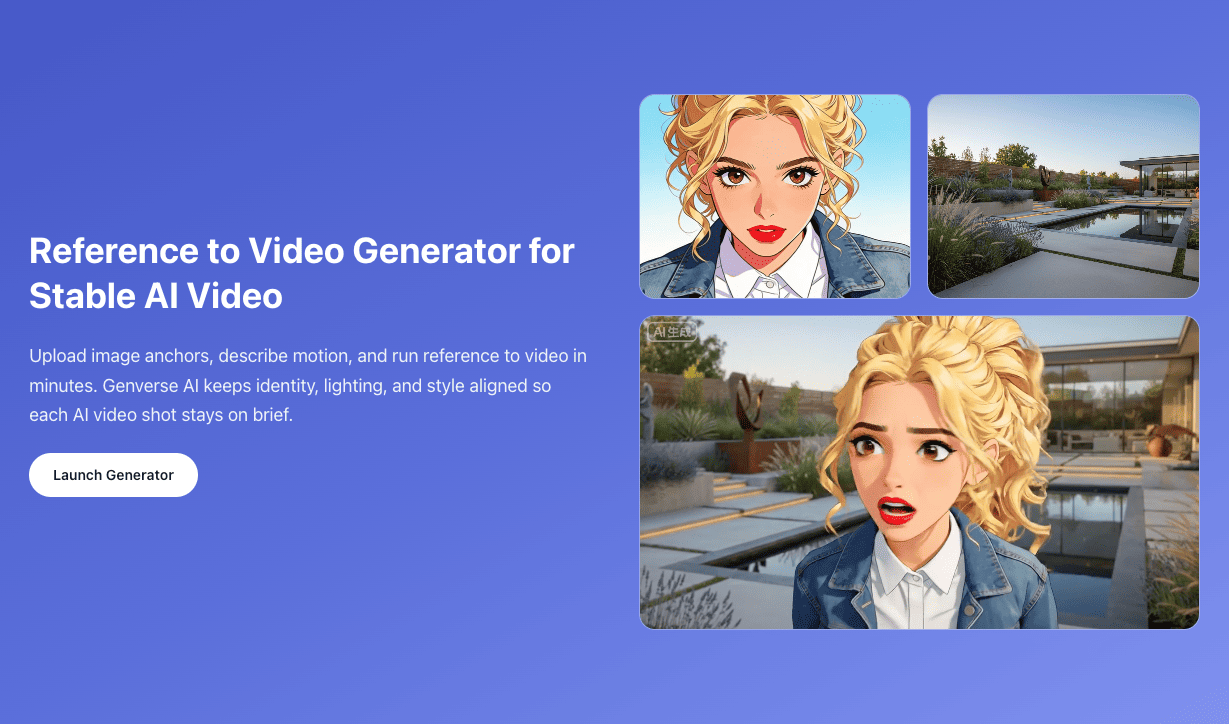
Reference to Video
Add visual anchors when you want identity, style, or scene cues to stay more controlled.
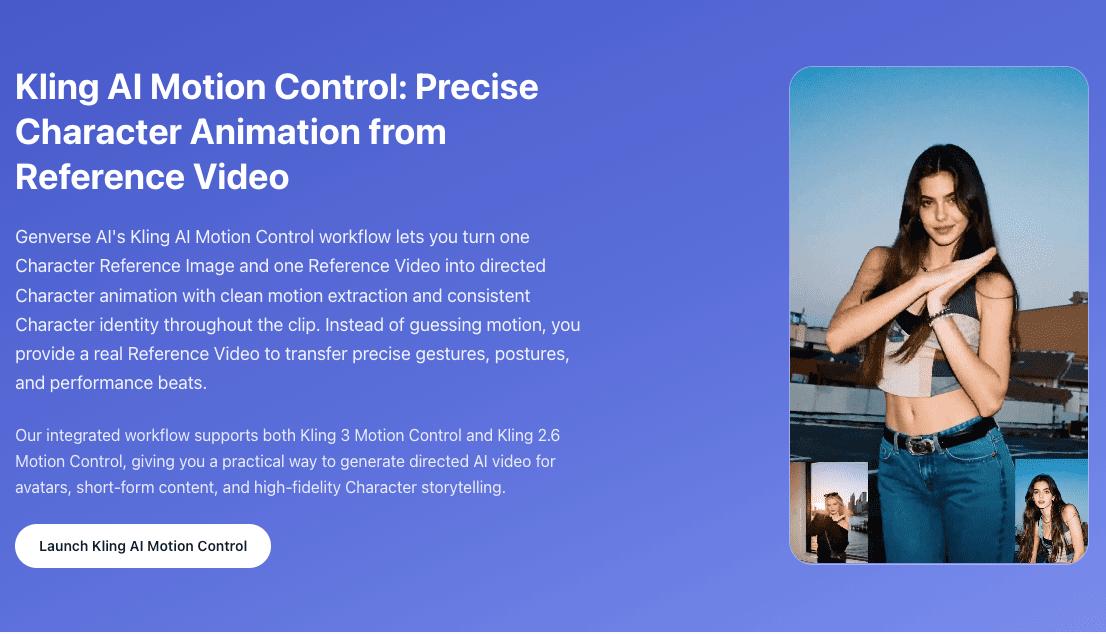
AI Motion Control
Use a Character Reference Image and a Reference Video together for cleaner motion transfer and more predictable character animation.