GPT Image-2 AI Image Generator
Generate or edit images from the same panel. Configure your prompt and settings on the left, then review each output version on the right before download.
Your image will appear here
Ready when you are—add a descriptive prompt to begin.
You can review your finished images anytime on My Images.
GPT Image 2: Advanced Visual Production Image Generator
GPT Image-2 is built for the rigors of real-world production. It’s fast enough for rapid iteration, stable enough to ensure consistent quality, and versatile enough to handle everything from initial concepts to surgical edits.
On Genverse AI, we’ve unified text-to-image and image-to-image into a single workspace. This allows your team to draft, refine, and compare assets in one continuous flow—eliminating tool-switching and keeping the momentum from first prompt to final delivery.
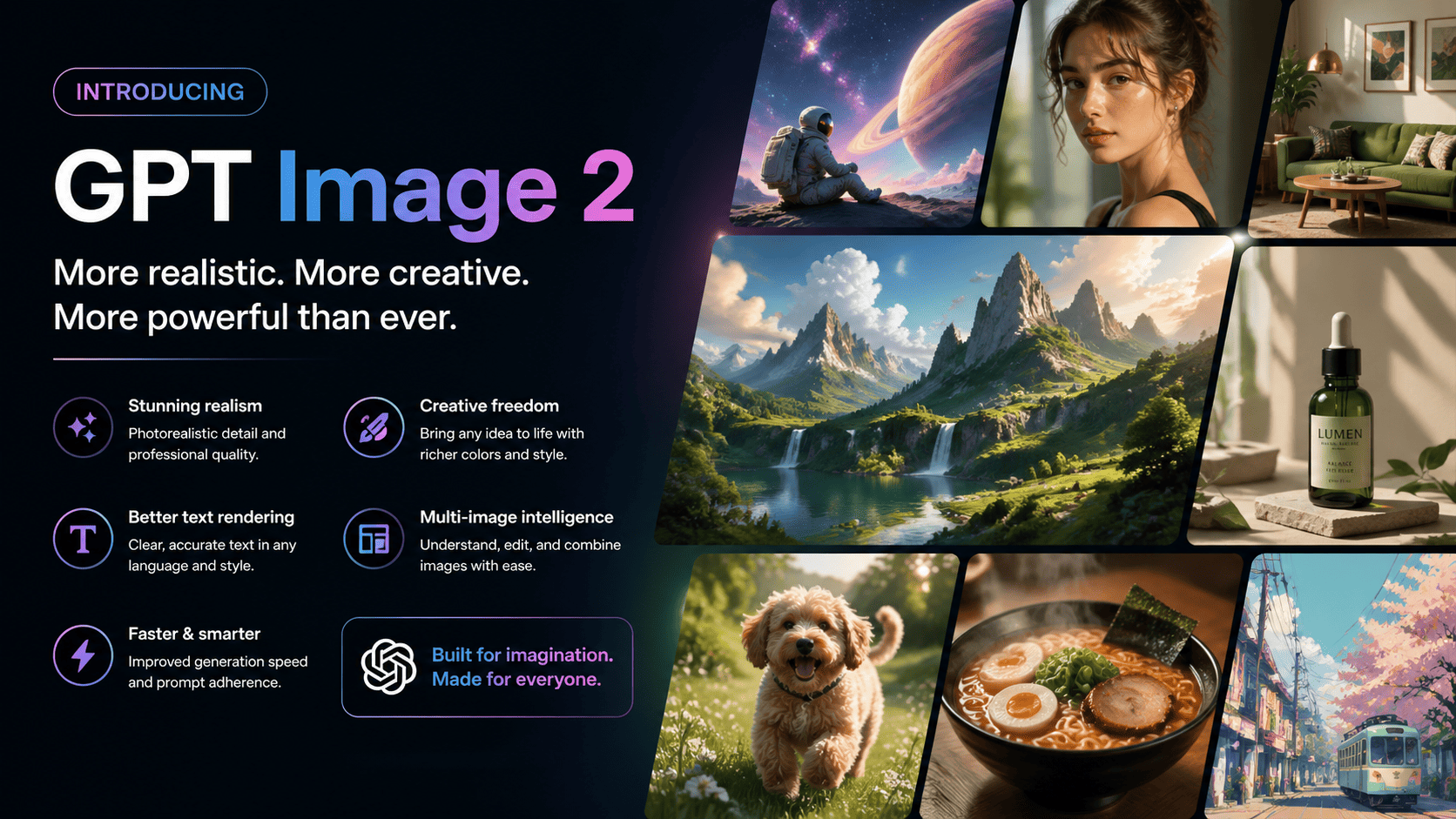
GPT Image-2: Built for Real-World Production
GPT Image-2 is not built for one-off novelty. It is designed for production-grade output that teams can ship with confidence. In real project workflows, what matters most is clear intent handling, visual consistency across versions, and shorter review cycles. With stronger composition control, cleaner text rendering, and better scene continuity, GPT Image-2 directly addresses those day-to-day production challenges.
Text to Image
GPT Image-2 has strong semantic understanding and can turn written concepts into high-quality visual output in seconds. This is especially useful for teams creating marketing ideas, product concepts, social content, ad visuals, illustrations, and brand assets directly from text. It supports fast exploration at the ideation stage while still producing output that can move into commercial workflows.
Image to Image
Beyond generating from scratch, GPT Image-2 is also highly effective when working from existing assets. This mode is ideal for controlled edits such as style transfer, background replacement, product recoloring, subject enhancement, and composition optimization. You can preserve the core structure of the original while making precise local changes, which makes it especially practical for teams building serious AI image editing experiences.
Key Capability Highlights
Six production-focused capabilities that show where GPT Image-2 performs best in practical creative workflows.
High-Quality Text Rendering
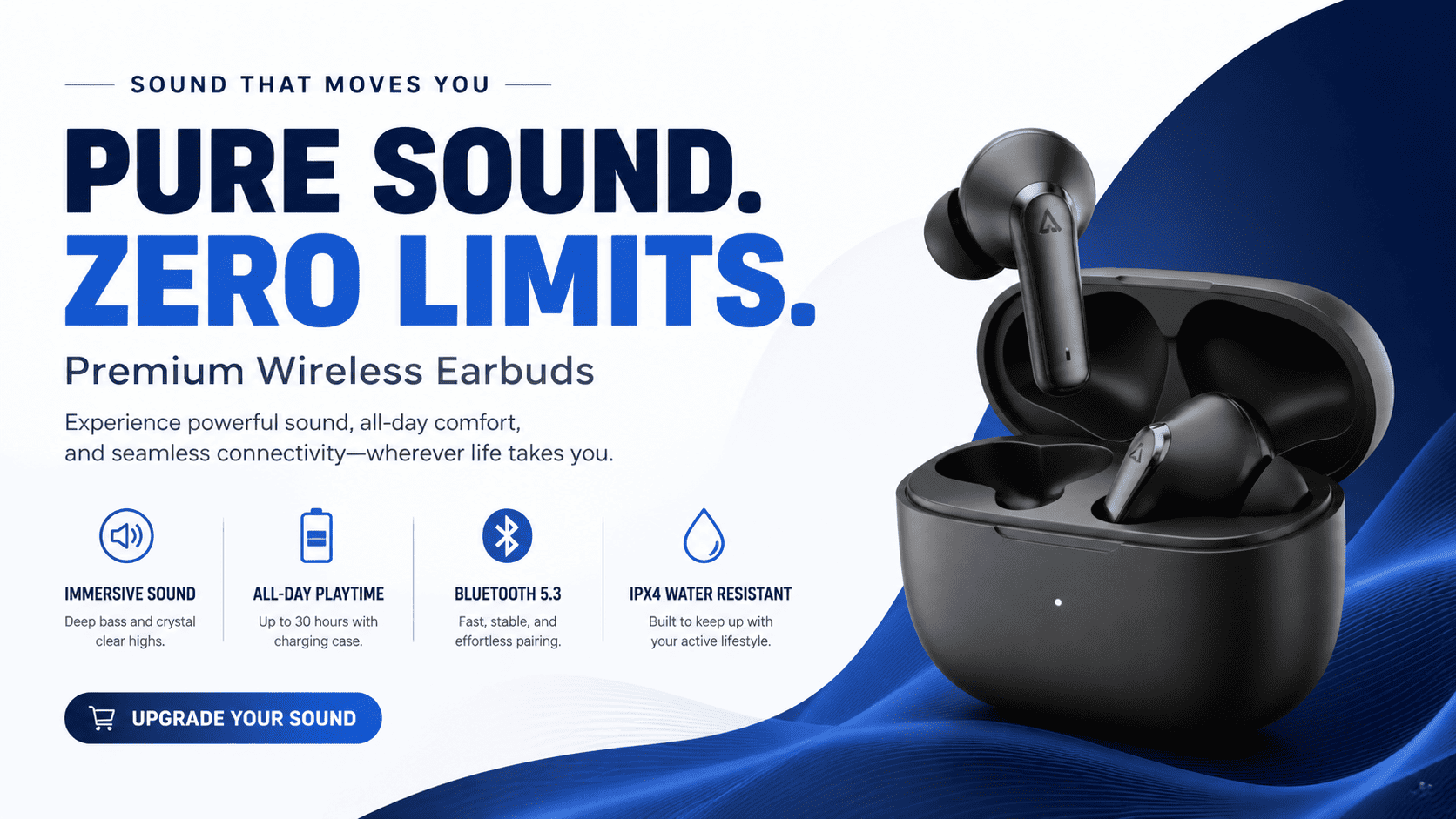
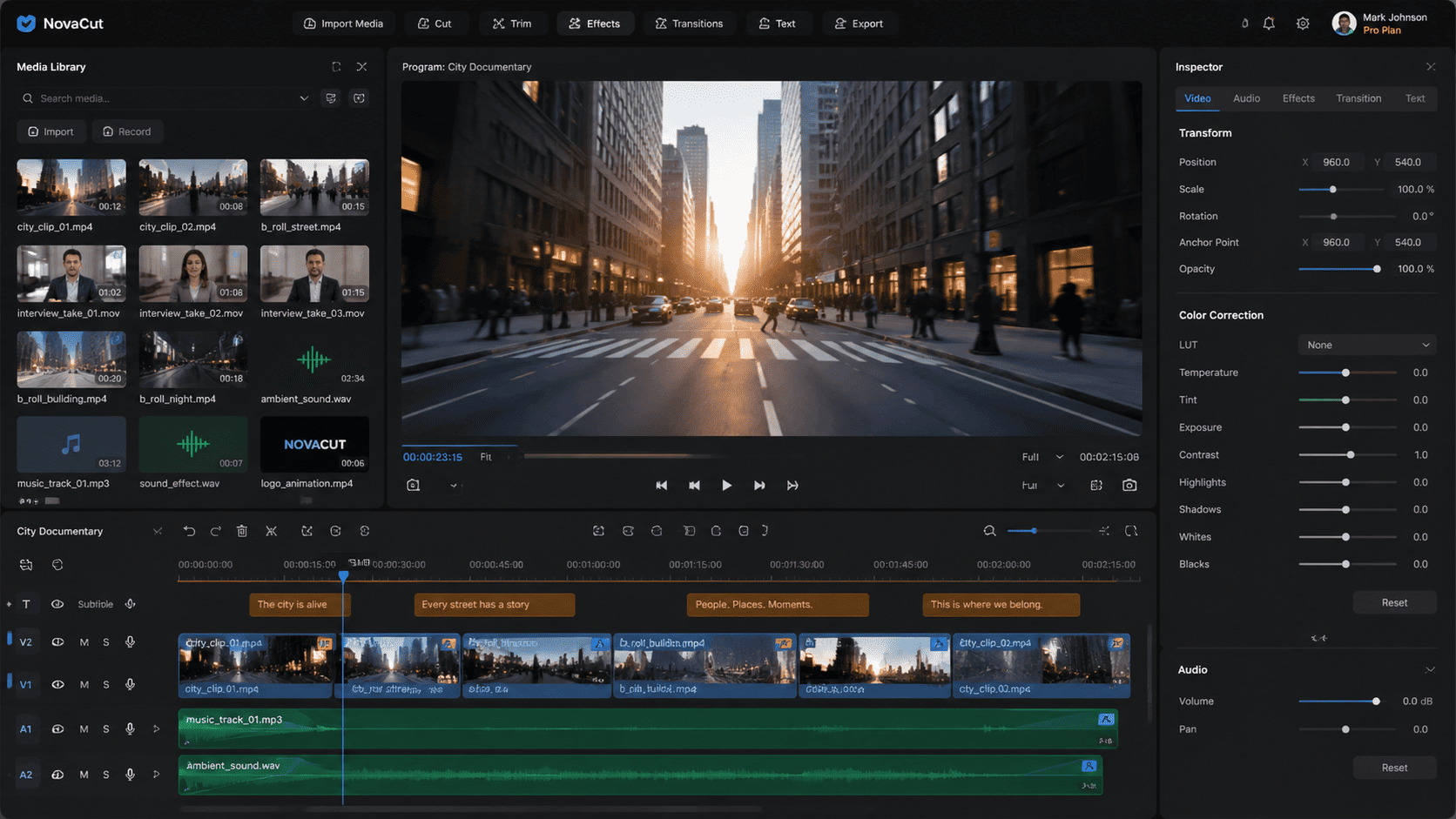
GPT Image-2 delivers far more dependable text rendering inside images, so long phrases, labels, and structured typography feel intentional and ready for production. It handles spacing, punctuation, and letter casing with stronger consistency, which is especially important in design-heavy outputs like posters, UI layouts, product packaging, and branded assets. Instead of treating text as an afterthought, the model treats it as part of the composition.
Structurally Grounded Visual Output
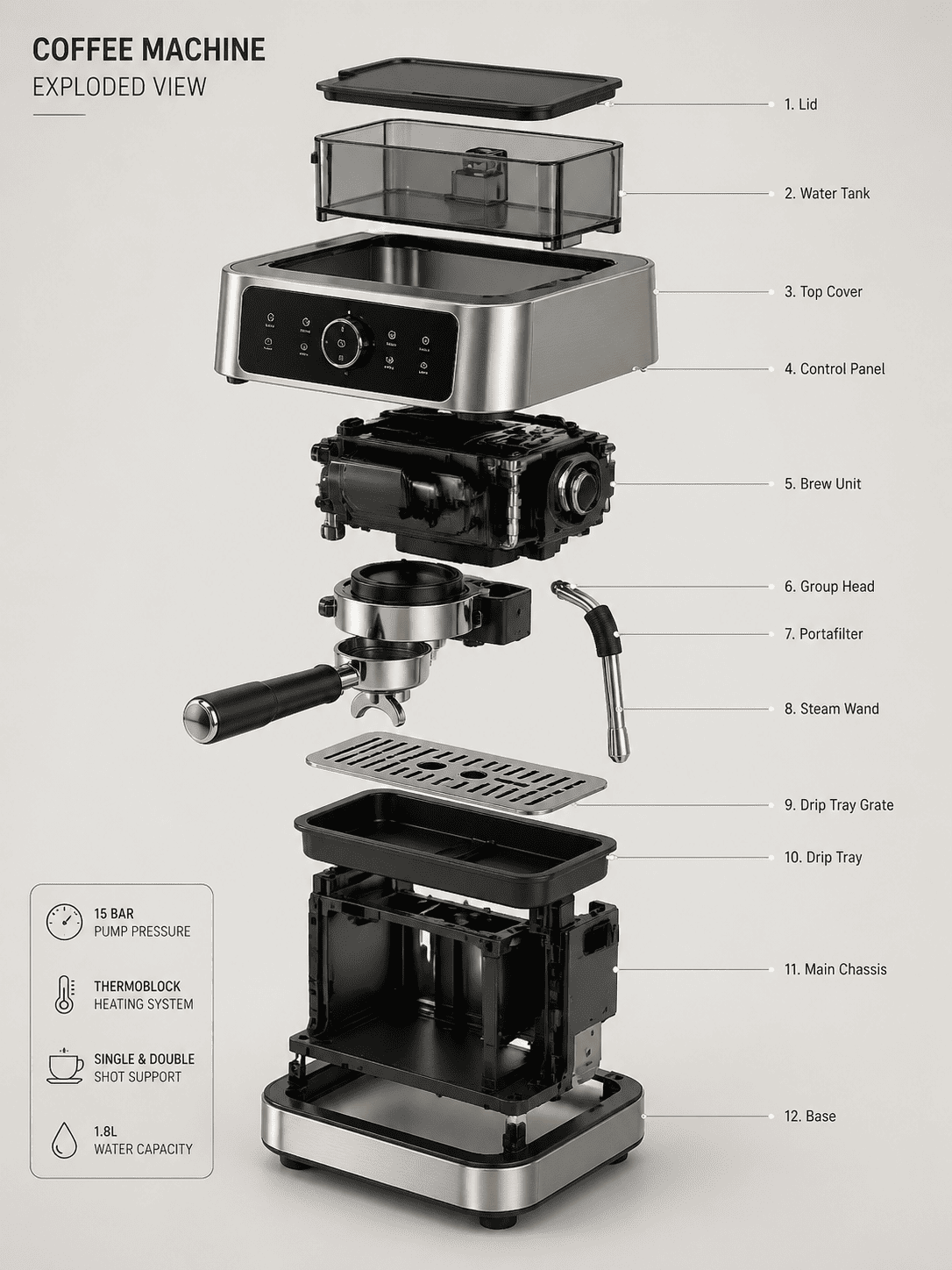
The model is better suited for scenes that need both aesthetic quality and structural accuracy. It performs well in product displays, architectural contexts, technical visuals, and educational layouts where spatial logic matters. Outputs tend to feel more coherent and grounded, which makes them easier to use in professional or commercial work.
Precise Local Image Editing
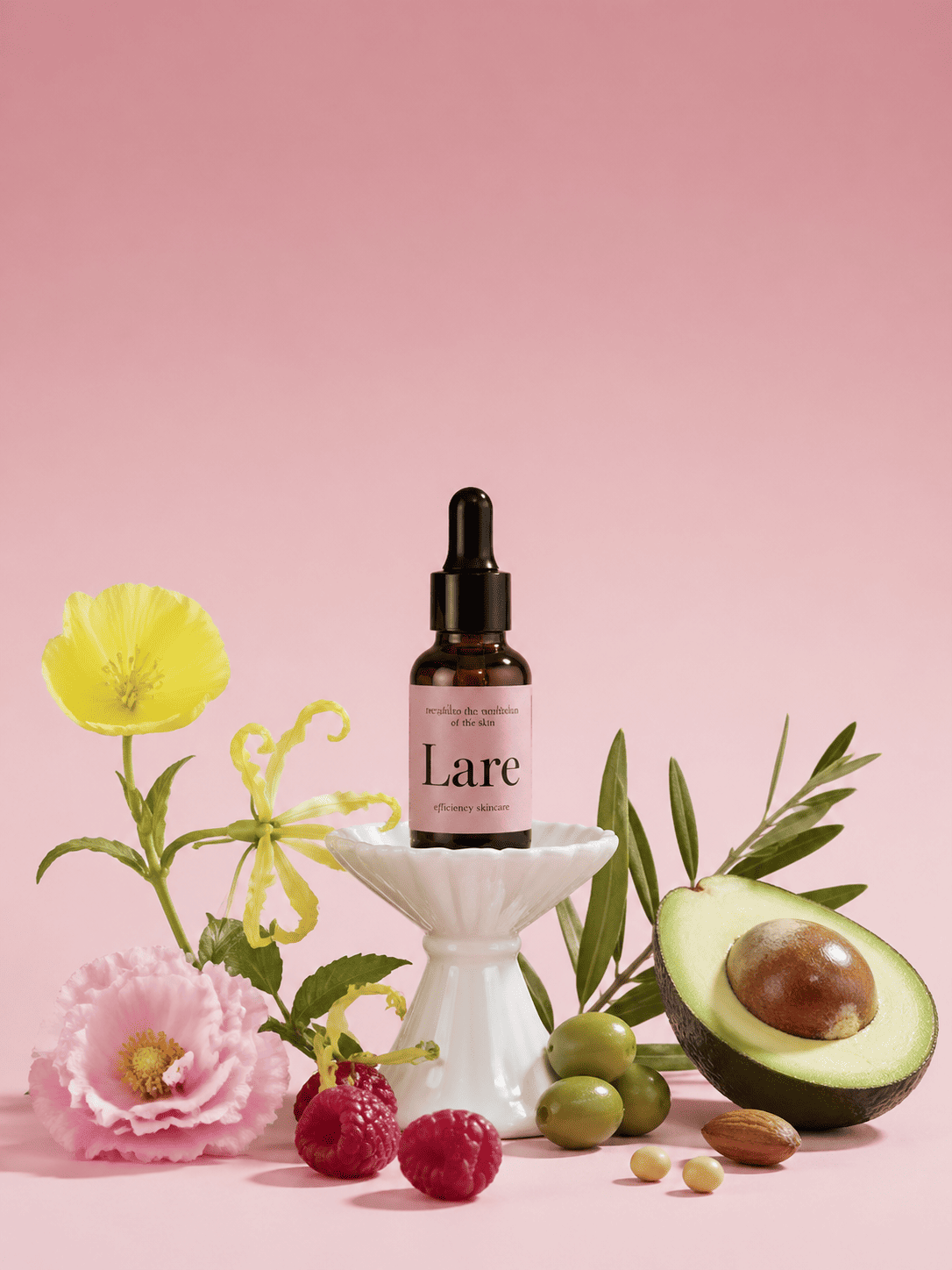
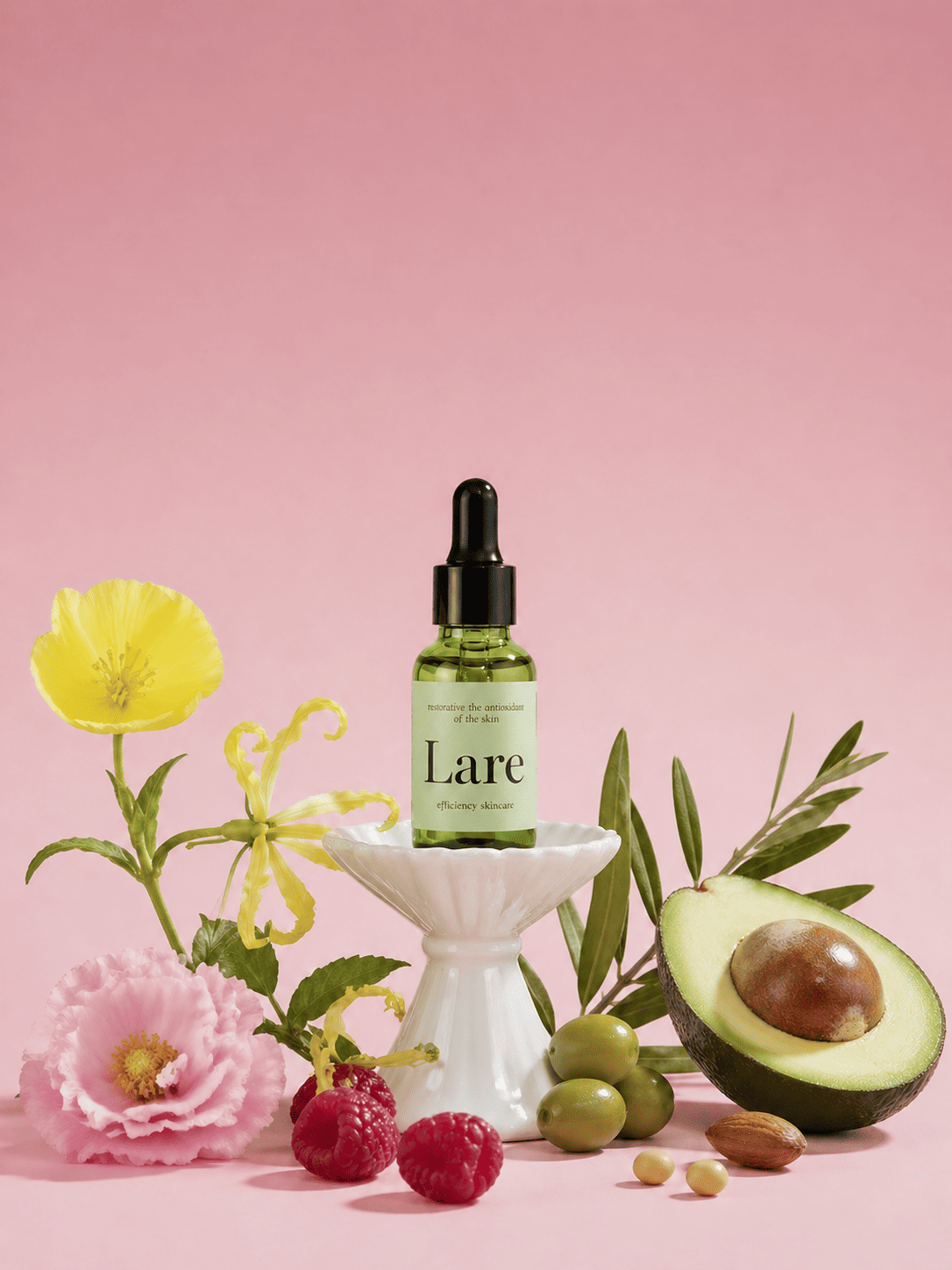
GPT Image-2 supports targeted edits in specific regions without disturbing the rest of the frame. Changes such as product recoloring, object replacement, or background refinement can be made while keeping lighting, shadows, and material behavior consistent. That balance of precision and continuity is highly valuable in production workflows where the change must look natural, not patched.
Faster Iteration with Strong Prompt Control
GPT Image-2 combines fast generation with strong prompt adherence, making rapid creative iteration practical. Teams can test multiple directions, refine layout choices, and compare variations quickly without losing control. Even when prompts include multiple subjects and layered constraints, intent remains more consistent across runs, which reduces unpredictability in production cycles.
Consistent Style Transformation
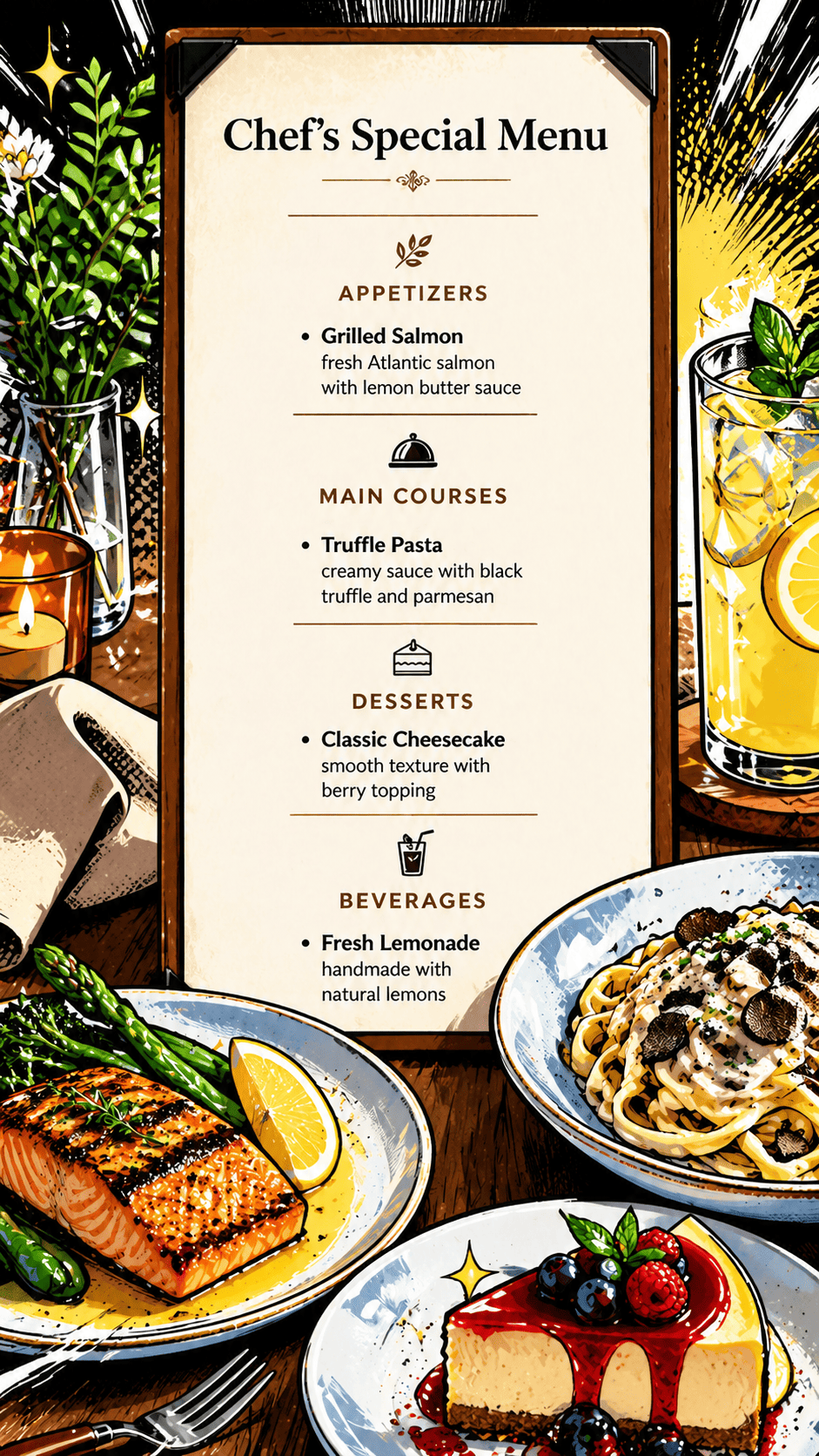
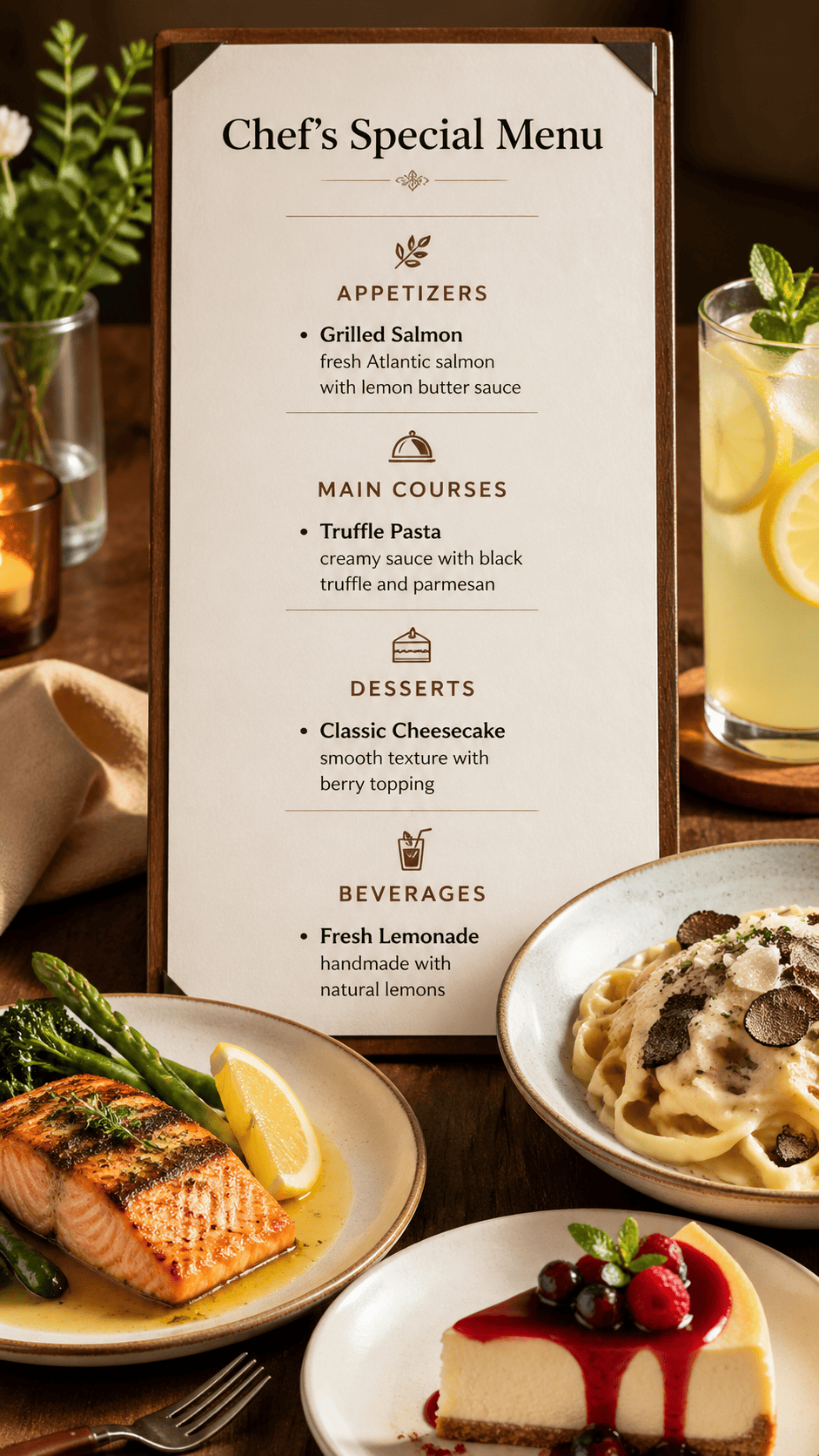
GPT Image-2 supports strong style shifts while preserving the subject's core identity. Whether moving from realistic photography to illustration or applying brand-specific aesthetics, the model keeps composition anchors and structure intact. This makes it useful for creative exploration, brand adaptation, and generating cohesive variations from one source.
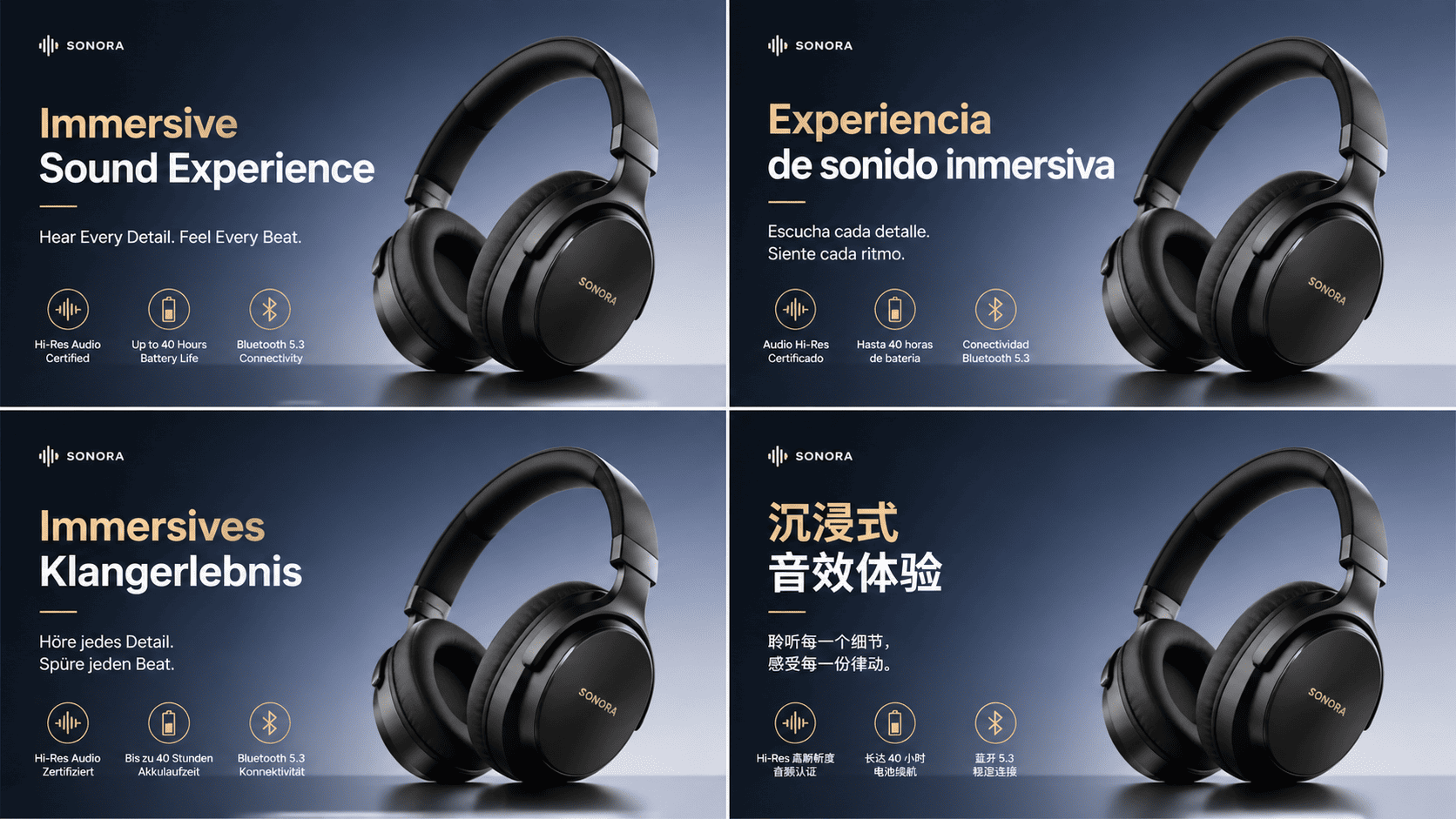
Multilingual Visual Generation
GPT Image-2 can generate visuals with readable, well-integrated text in multiple languages. This is especially useful for global campaigns, localized product assets, and region-specific marketing materials. Text stays legible and stylistically aligned with the overall layout, helping teams scale visual production across markets with less rework.
How to Run GPT Image-2 on Genverse AI
Follow the generation form from top to bottom for a clean, repeatable run.
Choose Generation Mode
Start by selecting text-to-image for a fresh output, or image-to-image when you want the result to follow uploaded references.
Write the Prompt
Enter a detailed prompt that clearly defines subject, style, environment, camera feel, and any must-have constraints. Better prompt structure gives you cleaner first-pass results.
Set Aspect Ratio and Resolution
Pick the output ratio and quality level in the form. Match these settings to the final use case, such as social, web banner, product card, or presentation asset.
Upload Source Images for Image-to-Image
If you selected image-to-image, add one or more reference files before submission. Use clear source materials so the model can preserve identity while applying your requested changes.
Review and Submit
Check your full configuration, then generate. After rendering completes, compare versions in preview and download the strongest final output.
Where GPT Image-2 Adds the Most Value
High-impact scenarios where this image generator improves speed, consistency, and final delivery quality.
Campaign Visual Creation at Scale
Generate launch concepts, seasonal directions, and ad variants through one repeatable image generator framework. Teams can move quickly from strategy to publish-ready creative.
Product Image Editing and Merchandising
Refine product visuals with layout updates, background shifts, and style adjustments that support merchandising goals while preserving brand consistency across catalog assets.
Design Systems and Content Pipelines
Use GPT Image-2 to draft interface image mockups, editorial image visuals, and recurring content assets with stable quality controls. The generator becomes part of a broader production system, not a separate side task.
Global Visual Localization
Create region-ready assets with multilingual output and adaptable styling. A unified generator workflow helps teams localize faster without fragmenting process quality from market to market.
Why Teams Choose Genverse AI
A service-first image generator experience on Genverse AI built for repeatable creative delivery rather than one-off experiments.
Cost-Efficient Image Production
Genverse AI helps teams scale generator usage while maintaining image quality in everyday production. Budget efficiency and output consistency can coexist when workflows are structured correctly.
Clear Workflow Experience
The GPT Image-2 page is organized for fast onboarding, smooth iteration, and predictable generator behavior. Teams spend less time translating tooling and more time improving visual outcomes.
Responsive Product Support
Genverse AI focuses on practical execution so teams can keep image projects moving with confidence. The platform is designed to support ongoing generator operations, not just initial testing.
Frequently Asked Questions
What is GPT Image-2?
Think of GPT Image-2 as a production-ready image generator, not just a creative toy. It helps you go from idea to usable visual assets with much better consistency, cleaner text, and more predictable results, especially when you need images that actually ship.
Can I use GPT Image-2 on Genverse AI?
Yes, and it's built into a single workflow. You can generate, edit, and refine images in one place without jumping between tools. It's designed to feel more like a system than a feature.
What can I actually create with it?
Most teams use it for campaign visuals, product images, ads, UI mockups, and content graphics. The key is not just what you can create, but how consistently you can recreate it at scale.
Does it support both text-to-image and image editing?
Yes. You can start from a prompt or upload an existing image and refine it. Switching between creation and editing is seamless, which makes iteration much faster.
Can I edit just one part of an image?
That's actually one of its strengths. You can change a single object, color, or area while keeping everything else intact. Lighting, shadows, and textures stay consistent.
How good is it with text inside images?
Much better than most generators. If your image includes titles, labels, or structured text, GPT Image-2 keeps it readable and aligned with the design instead of breaking it.
How fast is it?
Fast enough to stay in flow. Most generations take just a few seconds, which means you can try ideas, tweak prompts, and compare results without slowing down your workflow.
Can I generate multiple versions to compare?
Yes, and you should. Running variations is one of the easiest ways to explore directions and find what actually works, especially for campaigns and visual testing.
Can I use the images commercially?
Yes. You can use the generated images in ads, product pages, social content, and other commercial use cases.
How does pricing work?
It runs on a credit system. You only pay for what you generate, and usage scales with how complex or high-quality your outputs need to be.
How is it different from Midjourney or DALL-E?
GPT Image-2 is built more for production than experimentation. It's stronger in text rendering, editing workflows, and following structured prompts, so it's easier to control and reuse in real projects.
Does it support multilingual visuals?
Yes. You can generate images with readable text in different languages, which makes it much easier to create localized content for global audiences.